MARKET TERMINAL FOR macOS
The whole market on one screen.
Every US trade as it prints, the news wires, commodities, yield curves, macro data, earnings and SEC filings in one keyboard-driven window on your Mac.
Cancel anytime · Uses your own free Finnhub key · macOS 12 or later
FEATURES
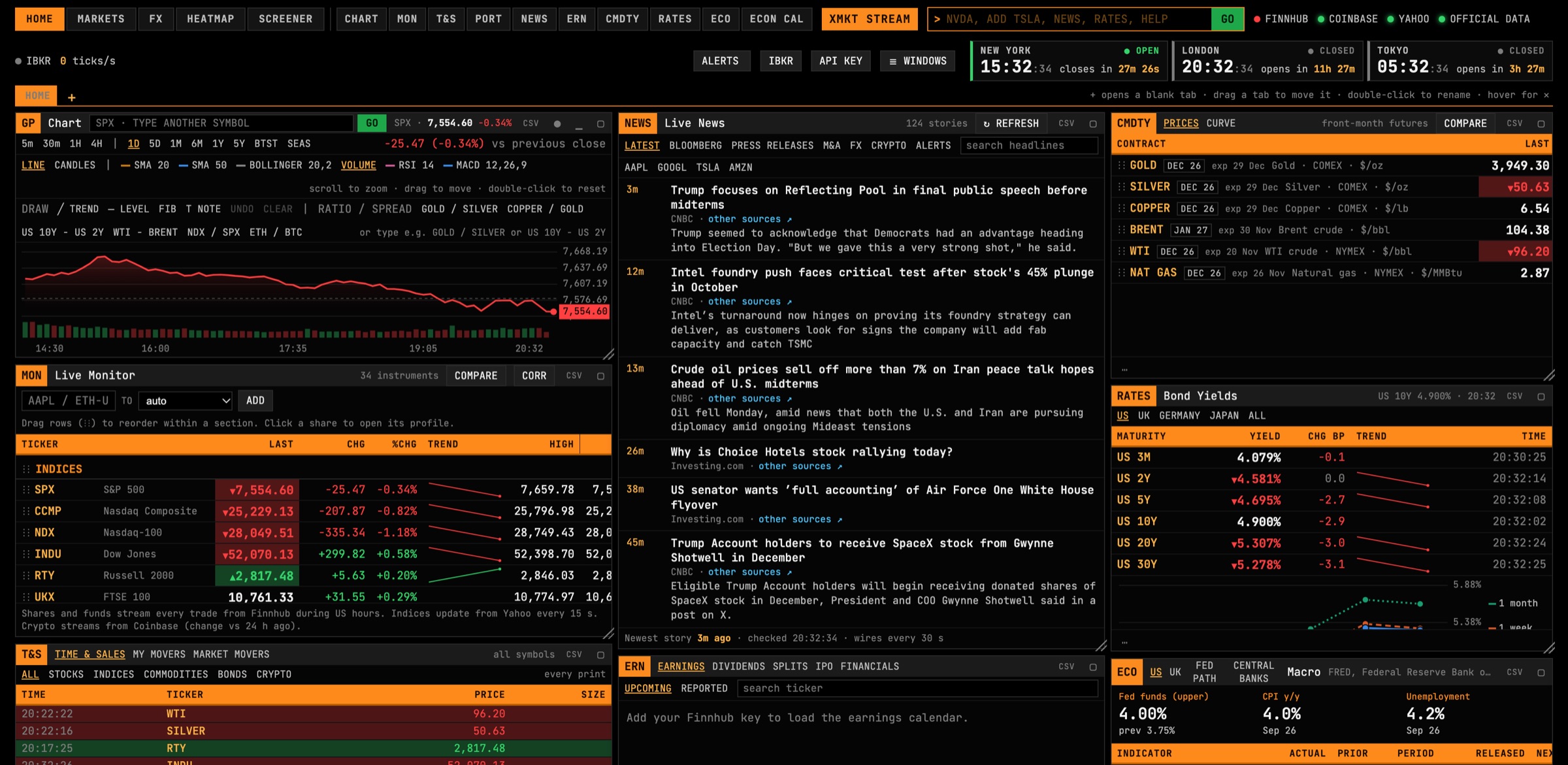
Every window you need. All moving at once.
Arrange and resize the windows, maximise one with a keystroke, and jump between screens. Your layout, watchlists and alerts are remembered.
Shares and funds stream every trade from Finnhub during US hours, crypto streams from Coinbase, and world indices sit alongside. Group tickers into sections and drag rows to reorder.
CNBC, MarketWatch, BBC Business, Investing.com, PR Newswire and Business Wire, checked every 30 seconds, plus Finnhub market news. Filter by your tickers or set keyword alerts.
Every print as it happens, split into stocks, indices, commodities, bonds and crypto, with a movers view of what's running today.
Gold, silver, copper, Brent, WTI and natural gas front-month futures, with intraday trends.
US Treasury yields through the day, plus official daily curves for US Treasuries, UK gilts, Japanese JGBs and euro area bonds.
US and UK indicators from FRED, the ONS and the Bank of England, with release dates, and a week-ahead economic calendar including Fed and Bank of England decisions.
The earnings calendar for your tickers or all of the US, five years of financial statements, earnings history, and every SEC filing with plain-English labels.
Click any share for its chart (line or candles, with SMA, Bollinger bands, RSI and MACD), key stats, analyst ratings, peers and company news.
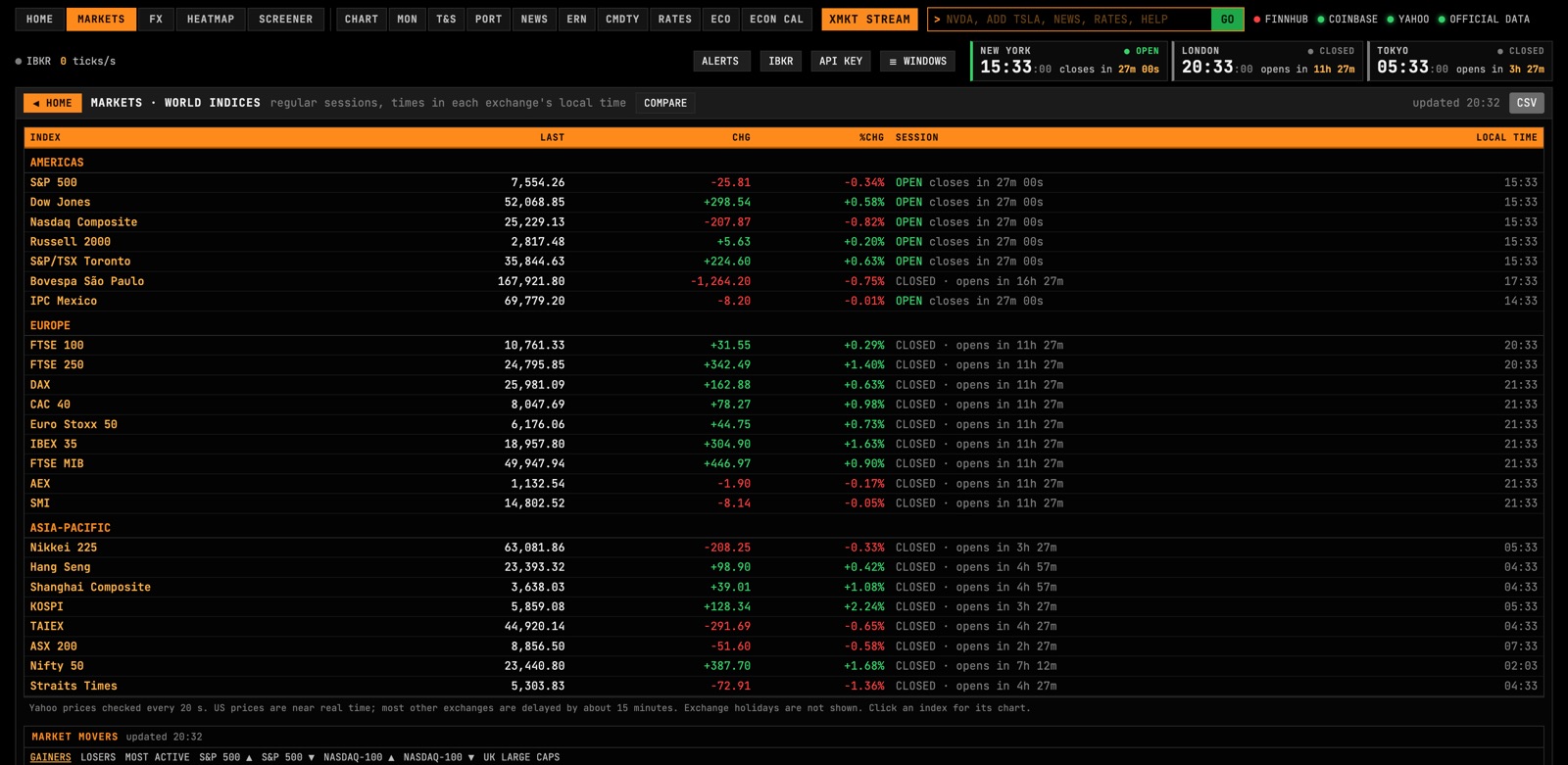
Every major index from Toronto to Sydney, with live session status and countdowns to each open and close.
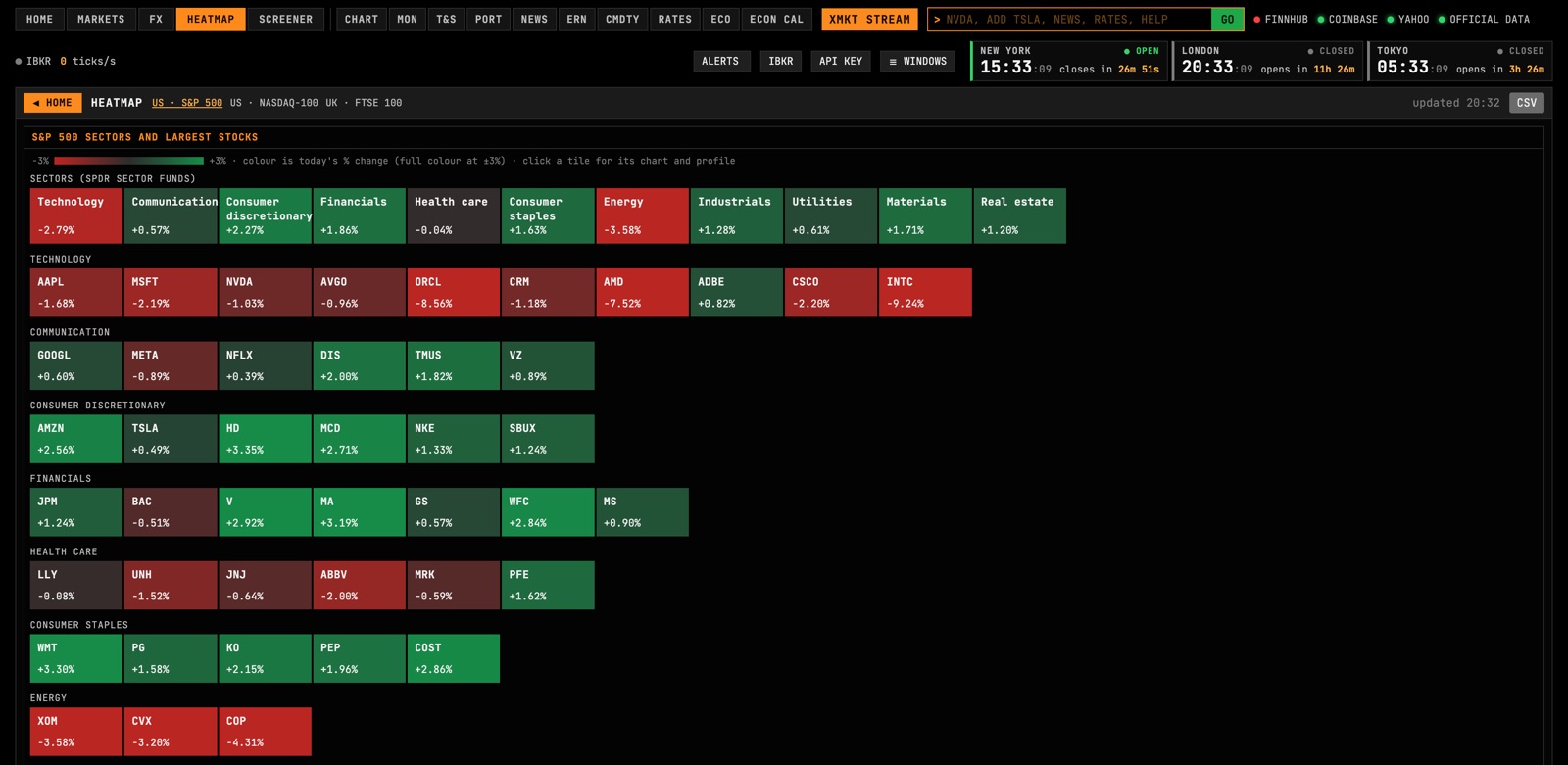
The S&P 500 by sector and the FTSE 100's largest stocks, coloured by today's move.
Price alerts with a sound, a banner and a desktop notification, plus headline alerts for keywords and tickers.
Optional. Connect IB Gateway for real-time futures and a read-only view of your positions and P&L. XMKT can never place or change orders.
SCREENS
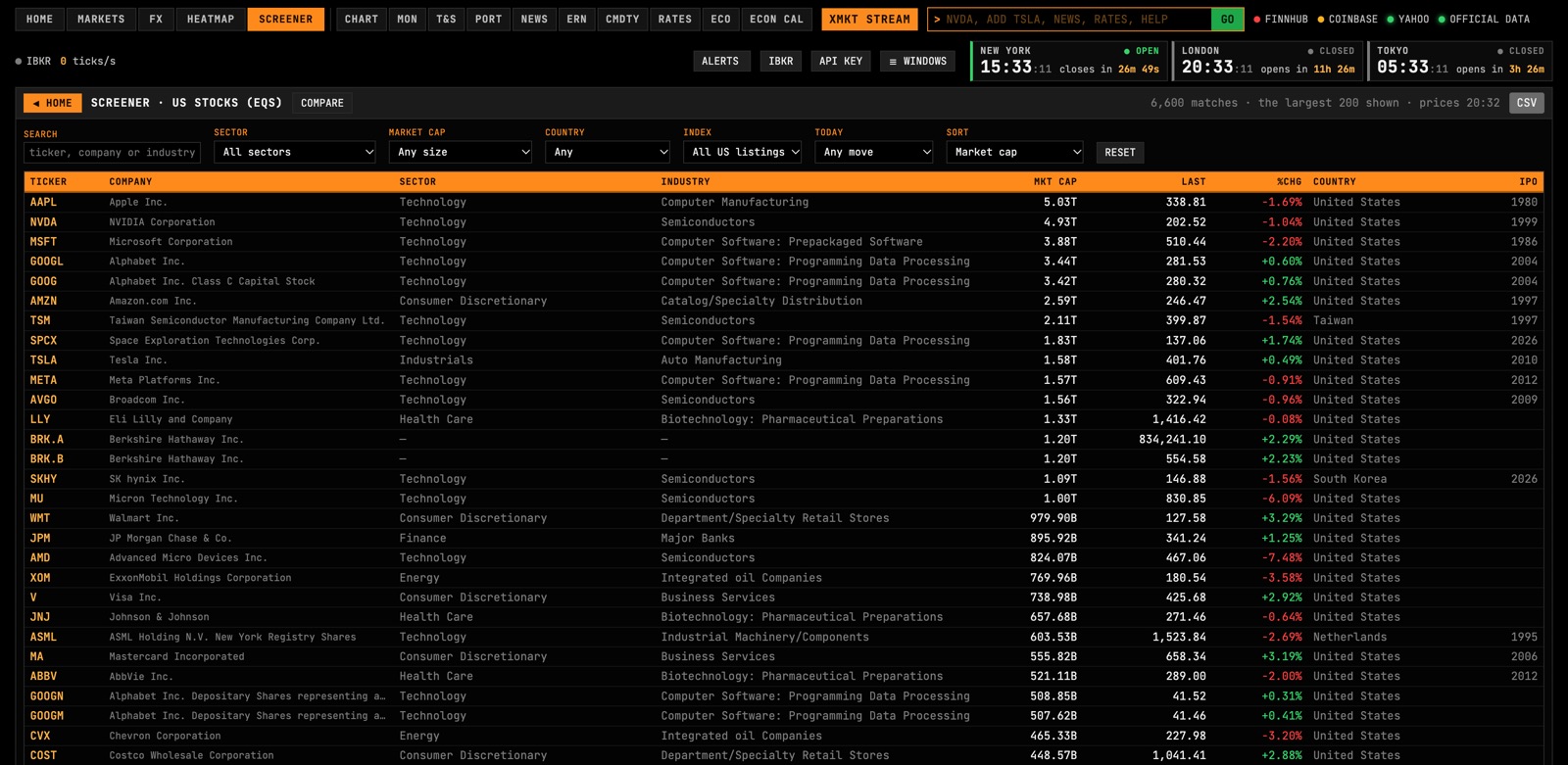
More than one screen of market.
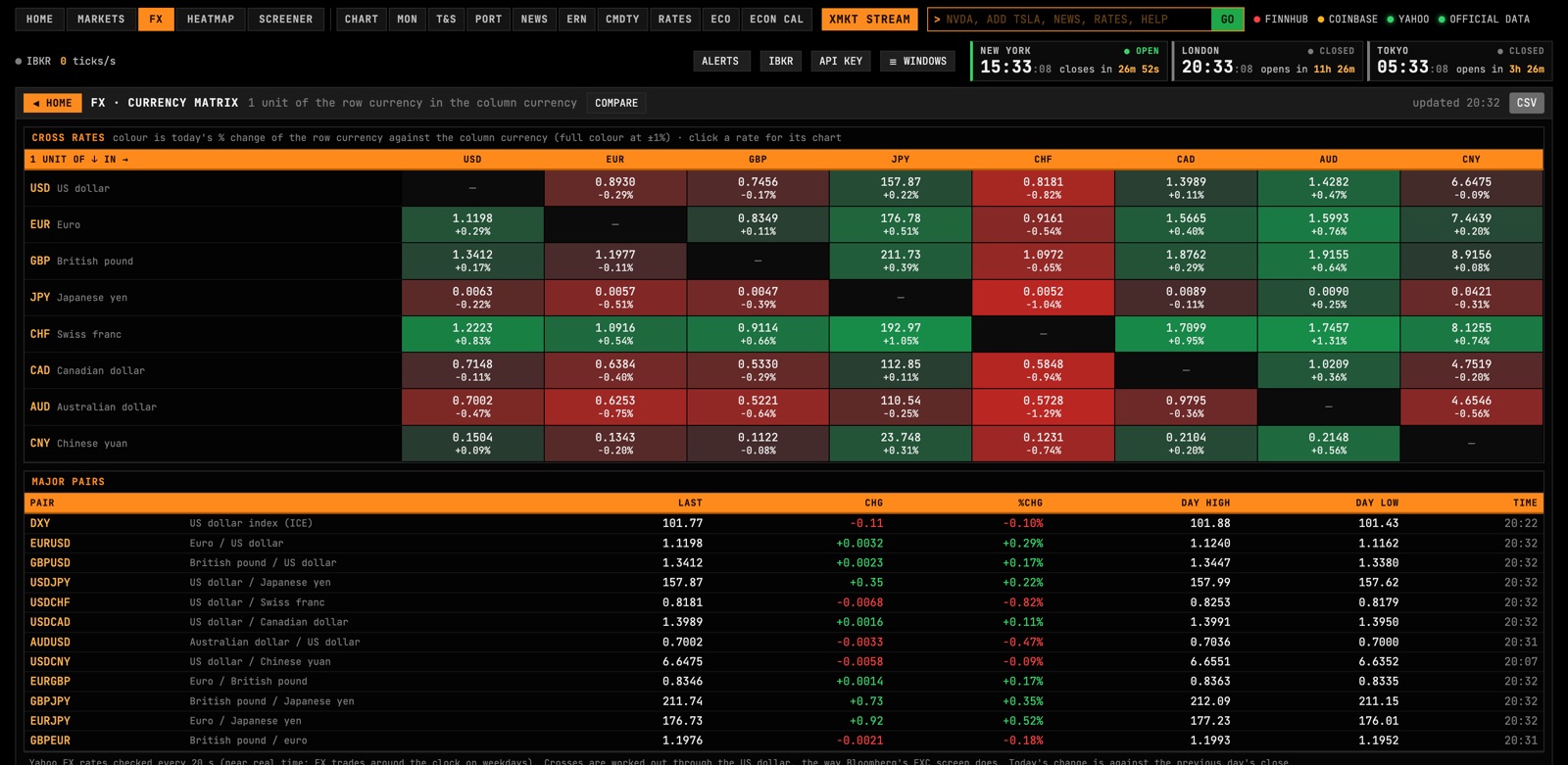
Jump between full-screen views from the top bar or with Alt+1 to Alt+5, and open any window full size with a keystroke. Click a picture to see it full size.
KEYBOARD FIRST
Type it. Don't hunt for it.
One command line drives the whole terminal. Type a ticker to open it, add it to your monitor, pull up its financials or set an alert, without touching the mouse.
| NVDA | Open Nvidia's profile and chart |
| ADD TSLA | Add Tesla to your live monitor |
| FA AAPL | Apple's financial statements and earnings history |
| ALERT NVDA > 150 | Alert me when Nvidia rises to 150 |
| CAL | Week-ahead US and UK economic releases |
| NEWS | Maximise the news window |
DATA
Where the numbers come from.
XMKT runs on your Mac and fetches data directly from its sources. Your Finnhub account powers the live US trade stream, so you're never sharing a feed with anyone else.
Finnhub (your key)
Real-time US share and fund trades, market news, the earnings calendar, company profiles and analyst ratings.
Coinbase
Live crypto prices and trades for any pair you add.
Index and futures quotes
World indices, commodity futures and intraday Treasury yields from public sources. Most non-US indices and futures are delayed by about 15 minutes.
Central banks and statistics offices
FRED, the ONS, the Bank of England, Japan's Ministry of Finance and the ECB, as they publish.
SEC EDGAR
Every filing from US-listed companies, from 10-Ks to insider trades.
News wires
Headlines from CNBC, MarketWatch, BBC Business, Investing.com, PR Newswire and Business Wire, linked to the original stories.
Want the delayed markets in real time?
Paying for exchange data makes them live. Connect an Interactive Brokers account through IB Gateway, add IBKR's market data subscriptions, and XMKT switches oil, gas and metals futures, Treasury, Bund and gilt futures, Cboe's US yield indices and DAX and FTSE 100 index futures to real-time exchange prices. Data subscriptions are billed by IBKR, not included in XMKT.
HOW IT WORKS
Up and running in five minutes.
No installer and no account with us beyond your subscription.
Subscribe
Check out securely. Your licence key and download link arrive by email straight away.
Get a free Finnhub key
Sign up at finnhub.io and copy the API key from your dashboard. The free plan is all XMKT needs.
Open XMKT
Unzip the app, move it to Applications and open it. Paste your licence key, then your Finnhub key. That's it.
Finnhub API key
Powers the live US trade stream, market news, the earnings calendar and company profiles. Create a free account, then copy your API key from the dashboard.
GET A FREE FINNHUB KEY ↗IB Gateway
For Interactive Brokers clients: connect it for real-time futures and a read-only view of your positions. Download the Mac version, sign in, and XMKT finds it automatically.
DOWNLOAD IB GATEWAY ↗A native Mac app for Apple silicon and Intel Macs, with its own window, menus, Dock icon and notifications. Requires macOS 12 Monterey or later and an internet connection.
PRICING
One plan. Everything included.
Billed monthly. Cancel anytime from Polar's customer portal; XMKT keeps working until the end of the month you've paid for. New subscribers can get a full refund within 14 days.
SUBSCRIBE NOW- Every window and screen in the terminal
- Use it on up to 2 Macs
- All updates while you're subscribed
- Watchlists, alerts and layout saved on your Mac
- Optional Interactive Brokers connection
- Secure checkout, with VAT and sales tax handled for you
FAQ
Questions.
Why do I need my own Finnhub key?
Finnhub gives every person their own free key and live connection, so each XMKT user streams through their own account rather than a shared feed. The free plan covers everything XMKT uses. Your key is stored only on your Mac and sent only to Finnhub.
Is the data real time?
US share and fund trades stream in real time from Finnhub, and crypto in real time from Coinbase. World indices, commodity futures and intraday yields come from public sources and are often delayed by about 15 minutes. Macro data and yield curves update when their publishers release them.
Does it work on Windows or in a browser?
Not yet. XMKT is a native Mac app. It needs macOS 12 or later, on an Apple silicon or Intel Mac.
Can XMKT trade or touch my brokerage account?
No. XMKT never places or changes orders. The optional Interactive Brokers connection is read-only and only shows prices and your positions. Account numbers are never displayed.
What happens if I cancel?
XMKT keeps working until the end of the period you've paid for, then asks for an active subscription when you next open it. Resubscribe any time to get a new key.
Can I move XMKT to a new Mac?
Yes. Your key works on up to 2 Macs at once. To free one up, open API KEY in the terminal and choose Deactivate this Mac, or remove it in Polar's customer portal.
What do you collect about me?
Only what checkout needs: your email and payment details, handled by our payment provider. The app sends your licence key to Polar, our licensing service, to confirm your subscription. Your watchlists, alerts and API keys never leave your Mac. The privacy policy has the details.
Is XMKT financial advice?
No. XMKT shows market data and news; it doesn't recommend investments. Data can be delayed or wrong, so check anything important with the original source before you act on it.